

Buying a forensic workstation is not like buying standard IT equipment. The procurement decision has direct consequences for investigation quality, case timelines, examiner productivity, and in some cases the admissibility of evidence in court. A workstation that performs well in a commercial benchmark may fail completely in a forensic workload context, and the cost of discovering that after deployment is significantly higher than the cost of evaluating it correctly before purchase.
This guide is written for forensic lab administrators and agency IT procurement officers who are evaluating workstation upgrades or building out new forensic computing capacity. It covers what specifications actually matter for forensic work, how to evaluate vendor claims, how to navigate the procurement pathway, and the red flags that indicate a vendor is selling a commercial workstation with a forensics label rather than a purpose-built forensic system.
Standard IT procurement optimizes for price, compatibility with existing infrastructure, and general productivity workload performance. Forensic workstation procurement has to optimize for something different: sustained performance under forensic-specific workloads, evidence integrity protection, hardware longevity under heavy use, and compliance with the evidentiary standards that govern how digital evidence is handled.
The most common mistake in forensic workstation procurement is applying standard IT evaluation criteria to a specialized purchase. A workstation that scores well on productivity benchmarks, has a competitive price, and is available on the agency’s established IT procurement list may perform poorly on the sustained, parallel, compute-intensive workloads that forensic work actually requires.
The second most common mistake is buying based on listed specifications without understanding whether those specifications are configured correctly for forensic workflows. A workstation with a high-core-count processor and 128GB of RAM is not automatically a good forensic workstation if the storage configuration creates throughput bottlenecks, the memory is non-ECC, or the GPU is insufficient for the acceleration workloads the lab needs to run.
Before evaluating any hardware, document what your current workstations are actually doing and where they are slowing you down. The bottleneck in your current workflow determines which hardware specifications matter most for your upgrade.
The answers to these questions map directly to the hardware specifications that should drive your evaluation. A lab where imaging speed is the bottleneck needs different hardware than a lab where password recovery or artifact analysis is the primary constraint.
Once you have identified your current bottlenecks, translate them into minimum performance requirements for the replacement hardware. These requirements become the baseline against which you evaluate vendor offerings, not the vendor’s marketing claims.
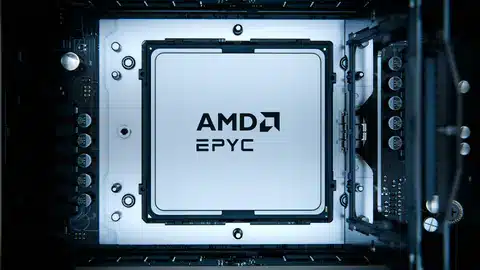
For labs where parallel analysis workloads are the primary bottleneck, define a minimum core count based on the forensic tools you use and their multi-threading capability. Most modern forensic software is optimized for parallel processing and will utilize every core available. High-core-count processors from AMD’s EPYC and Threadripper PRO product lines are well-matched to the parallel workload profile of professional forensic labs.
For labs where sequential processing speed is the bottleneck, clock speed may matter more than core count. Identify which specific operations are slowest and verify which processor characteristic limits their performance before assuming core count is the solution.
Define a minimum RAM requirement based on your largest concurrent workload. The minimum for current forensic caseloads is 64GB of ECC DDR5. Labs running multiple concurrent examinations, large enterprise cases, or virtualized examination environments should plan for 128GB or 256GB. Non-ECC memory is not acceptable for forensic workstations regardless of capacity.
Define requirements for three distinct storage functions: the operating system and application environment, active evidence processing, and case archival. Each has different performance and capacity requirements. Do not conflate them into a single storage specification.
If your lab runs password or encryption recovery workloads or AI-assisted triage tools, define a minimum GPU specification based on the tools you use and their VRAM requirements. If your lab does not run these workloads, GPU specification is a secondary consideration.
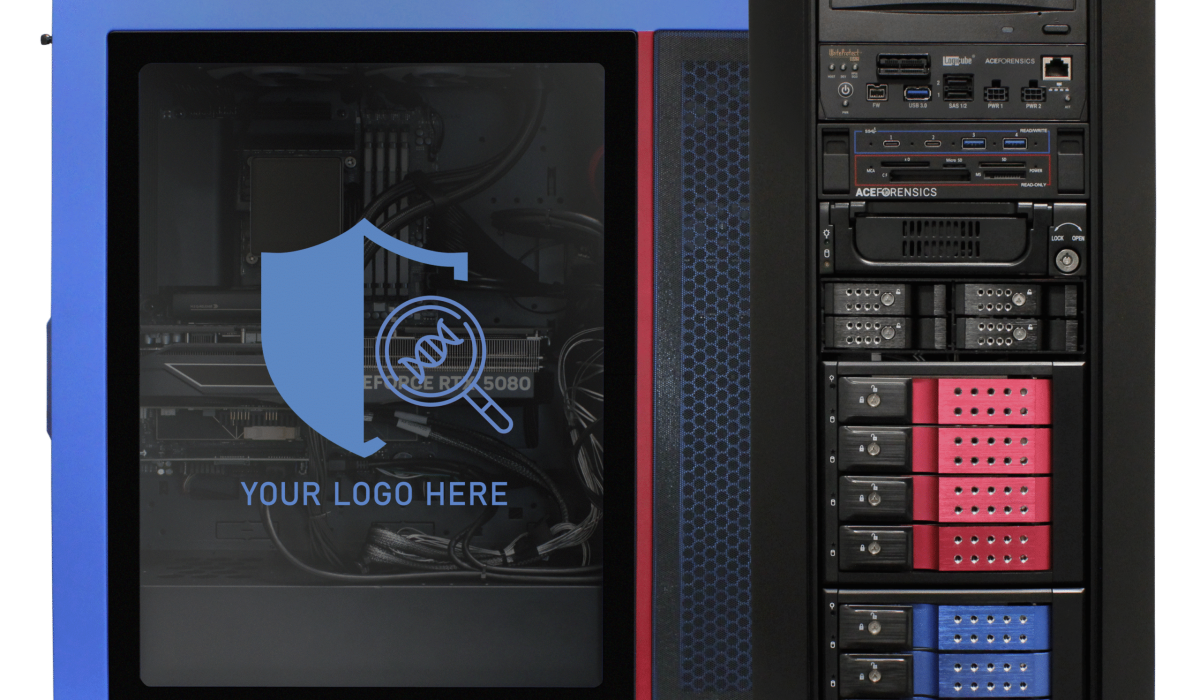
Forensic workstation vendors make performance claims that are difficult to evaluate without specific testing. The questions below give you the information needed to distinguish purpose-built forensic systems from commercial workstations with forensics branding.
Forensic lab administrators at law enforcement agencies frequently face a procurement constraint that the hardware industry does not fully understand: the agency’s established IT procurement list may not include purpose-built forensic systems. When agencies are constrained to purchasing from vendor lists that include only commercial workstations from major OEMs, forensic examiners receive hardware that is inadequate for their workload at prices that exceed what purpose-built systems cost.
Federal law enforcement agencies and state and local agencies with federally funded programs can access purpose-built forensic systems through federal contract vehicles that have completed compliance vetting. Ace Forensics systems are available through:
Agencies that are currently constrained to commercial vendor lists should work with their procurement officers to explore whether purpose-built forensic systems can be added to the approved list or procured through an alternative pathway. The cost comparison between commercial systems plus required forensic hardware versus purpose-built forensic systems consistently favors the purpose-built option when the total acquisition cost is calculated correctly.
A forensic workstation is a five-year investment in most law enforcement agency planning cycles. The hardware that is adequate for current caseloads needs to remain adequate for the caseloads of year three and year five, when digital evidence volume will be higher and forensic tool requirements will have evolved.
Scalable architecture, where the system can accommodate memory upgrades, storage expansion, and GPU updates within the existing platform, extends the useful life of the investment and reduces the cost of keeping pace with evolving forensic workload requirements. Purpose-built forensic systems are typically designed with upgrade pathways in mind. Commercial workstations frequently are not.
Ace Forensics workstations are engineered with the five-year forensic refresh period in mind, with configurations that can sustain the workloads of an active forensic lab for the full replacement cycle and upgrade pathways documented at the time of purchase.
| Evaluation Item | Why It Matters |
☐ | Current lab workload bottlenecks documented | Identifies which specs matter most for your specific workflow |
☐ | Minimum processor core count or clock speed defined | Prevents purchasing a system that cannot handle your primary workload |
☐ | 64GB+ ECC DDR5 minimum confirmed | Non-ECC memory is not acceptable for forensic work |
☐ | Storage configuration matches workflow requirements | Separating OS, evidence, and archival storage prevents throughput bottlenecks |
☐ | GPU specification confirmed for acceleration workloads if needed | GPU is essential for password recovery and AI triage workflows |
☐ | Forensic-specific performance benchmarks requested from vendor | General benchmarks do not predict forensic workload performance |
☐ | Purpose-built motherboard and thermal design confirmed | Consumer components fail under sustained forensic loads |
☐ | Five-year warranty or equivalent confirmed | Shorter warranties signal lower confidence in sustained-load durability |
☐ | Federal contract vehicle availability confirmed | Ensures compliant procurement pathway with TAA documentation |
☐ | Upgrade pathway documented for year 3 and year 5 requirements | Scalable architecture extends investment lifecycle |
Ace Forensics builds purpose-built digital forensics workstations engineered specifically for the sustained, parallel, compute-intensive workloads of professional forensic investigation. Every system is configured for the specific workflow requirements of the agency or lab purchasing it, with no catalog configurations forced onto forensic workloads they were not designed to handle.
The Ace FORCE series starts at $7,500 and provides capabilities that comparable commercial systems cannot match at the same price point once the cost of additional forensic hardware, insufficient GPU configurations, and inadequate storage is factored into the total acquisition cost. Ace Forensics provides a five-year warranty on all systems, the longest warranty in the forensic hardware category, because our systems are built to sustain forensic workloads for the full agency refresh cycle.
Our engineering team conducts workload assessments for every agency engagement before recommending a configuration, ensuring the system delivered matches the actual demands of the lab rather than a generic forensic specification. All Ace Forensics systems are available through federal contract vehicles with full TAA compliance documentation.
→ View Ace Forensics Solutions
Purpose-built forensic workstations from Ace Forensics start at $7,500 for the FORCE series. Commercial workstations from major OEMs that are positioned as forensics-capable typically cost $12,000 or more for a base configuration that still requires additional forensic hardware, storage, and GPU upgrades to be functional for professional forensic work, putting total acquisition cost well above $17,000 for a comparable capability level.
A purpose-built forensic workstation is designed from the ground up for the sustained, parallel, compute-intensive workloads of forensic investigation, with forensic-grade motherboards, ECC memory, thermal management for sustained high-load operation, and a five-year warranty that reflects confidence in the system’s durability under forensic use. A commercial workstation used for forensics is a productivity system that may have adequate specifications for some forensic tasks but is not designed for the sustained load profile, evidence integrity requirements, or forensic hardware compatibility that professional forensic work demands.
Yes. Ace Forensics engineers are available to conduct workload assessments for law enforcement agencies and forensic labs, reviewing current hardware, workflow requirements, and case volume to recommend configurations matched to the specific needs of the lab. Contact our forensics team to schedule an assessment.